Virtual AI Photoshoot SaaS - AI Tools
NeuraAI is a complete Laravel 10 AI Creative Studio & SaaS platform built for launching a professional AI business around visu
Make Someone's Day
Make someone's day by sharing this incredible item with them!
Live Demo
Demo: neura.ekr-portal.cloud
Demo Credentials:
Admin Login: [email protected] | Password: 12345678
User Login: [email protected] | Password: 12345678
What is NeuraAI?
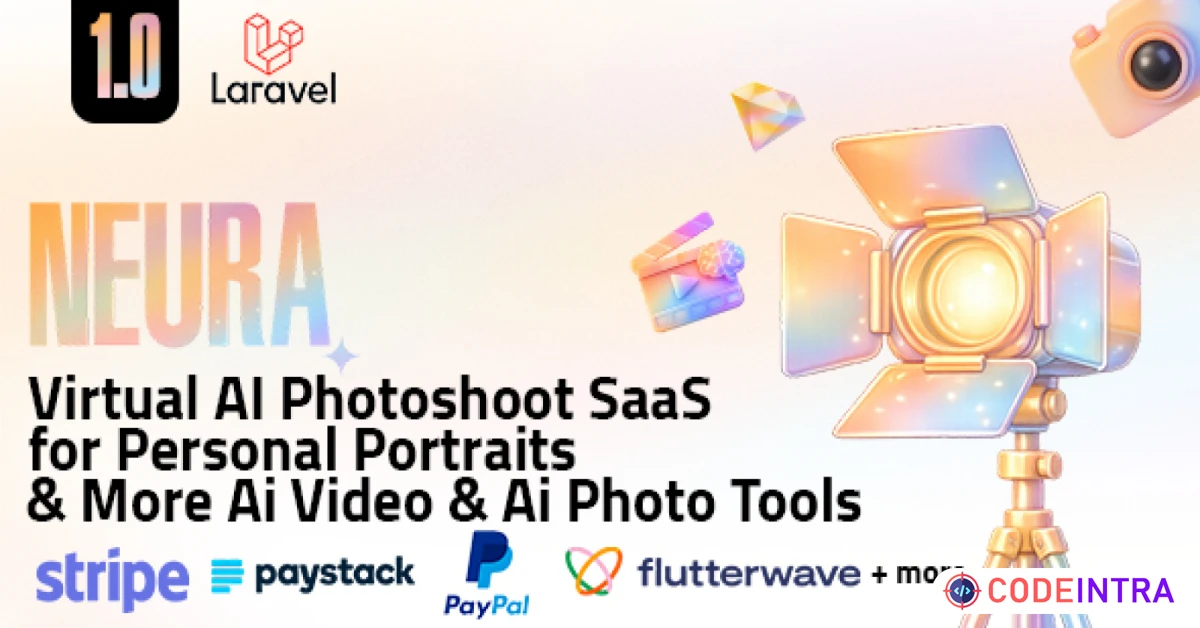
NeuraAI is a complete Laravel 10 AI Creative Studio & SaaS platform built for launching a professional AI business around visual production, virtual photoshoots, smart photo enhancement, and AI video workflows.
The platform combines a polished customer-facing website, a modern user dashboard, a powerful admin panel, point-based usage billing, subscription management, multi-gateway payments, dynamic content tools, language management, and an extendable architecture with themes and installable extensions.

Features
Core AI Studio Tools
NeuraAI ships with 15 built-in AI Studio tools across Video Studio and Photo Studio.
Video Studio
- Video Object Eraser: Remove unwanted objects, people, or distracting elements from videos.
- Video Upscaler: Enhance video resolution with AI upscaling.
- Smart Video Editor: Edit videos with natural language instructions and support for multiple Kling editor modes.
- Video Generation: Generate videos from prompts or images through unified Veo and Sora workflows.
Photo Studio
- Photo Restoration: Restore damaged or old photos with color fixing and scratch cleanup.
- Image Upscale: Enhance low-resolution images with AI upscaling.
- Virtual Try-On: Upload a person image and garment image to preview clothing virtually.
- Image Upscale Pro: Higher-grade image enlargement with larger output dimensions.
- Remove Background: Create clean transparent cutouts instantly.
- HD Background Removal: Premium high-precision background removal for better edges and large images.
- Subject Outline: Add colored outlines and glow-style effects around the detected subject.
- Remove Text: Erase text, captions, or watermarks from images.
- Replace Background: Swap the current background with an AI-generated scene.
- AI Backgrounds: Generate new realistic or styled backgrounds for your subject.
- AI Relight: Fix lighting and improve exposure in portraits and product shots.
- AI Image Editor: Edit images using prompt-based AI instructions with multiple supported models.
Virtual Photoshoot System
- Character Center: Create and manage reusable characters with reference photos.
- AI Character Covers: Generate professional cover visuals for saved characters.
- Collections Workflow: Organize themed photoshoot collections and generate multiple outputs in batches.
- Generation History: Track completed, processing, and failed outputs from a dedicated history area.
- Media Library: Access generated assets from one central location inside the user dashboard.
- Premium Collections Support: Restrict special collections by plan when needed.
AI Providers & Model Stack
- Google AI: Gemini image workflows and Veo video generation support.
- OpenAI: Sora video workflows and GPT Image based editing options.
- Fal AI: Used across multiple image and video workflows including advanced editing and generation routes.
- ClipDrop: Used for image upscaling, text removal, background removal, and background replacement.
- PhotoRoom: Used for HD background removal, subject outline, AI backgrounds, and relighting.
- Stability AI: Integrated in the system settings and extension-ready image inpainting workflows.
SaaS Monetization & Billing
- Points-Based Economy: Charge users per tool, per use, or per video duration.
- Flexible Plans: Support free, monthly, yearly, and lifetime plans with optional trial days.
- Plan-Level Control: Limit accessible AI tools, AI models, resolutions, premium collections, watermarks, video duration, and advanced editor modes per plan.
- Built-In Gateways: Stripe, PayPal, Paystack, Paddle, Flutterwave, plus manual payment methods with admin approval workflow.
- Billing Area: Users can view subscriptions, invoices, and payment history from their account.
- Disputes Management: Built-in payment dispute records and handling screens for finance workflows.
User Experience Features
- Responsive Dashboard: Modern user panel with dedicated Photoshoot, AI Studio, Billing, Notifications, and Settings areas.
- Dark & Light Mode: Native theme toggle across the interface.
- Multi-Language & RTL: Supports localized content and RTL/LTR direction switching.
- Authentication Options: Standard auth, email verification, Google login, Facebook login, GitHub login, CAPTCHA, and TOTP-based two-factor authentication.
- Email Notifications: Subscription confirmations, payment failures, collection completion, and account-related messages.
- Profile Management: Update account data, password, and personal settings from the user dashboard.
Admin Panel Features
- Dashboard & Analytics: Monitor revenue, subscriptions, plan activity, disputes, and operational performance.
- User Management: Create, edit, assign admin/user roles, update points balance, and control account status including active, inactive, and banned users.
- AI Tool Management: Manage AI tools, AI models, default selections, costs, ordering, and provider-related settings.
- Plan Builder: Configure paid plans and the system free plan with detailed feature access rules.
- Finance Management: Review subscriptions, invoices, manual payment submissions, and payment disputes.
- Language Manager: Add languages, manage translations, and support RTL layouts.
- Landing Page Builder: Control hero content, photo showcase source, features, stats, how-it-works steps, testimonials, FAQ, use cases, AI partners, CTA, and other homepage sections.
- Blog & Pages: Manage blog categories, blog posts, and custom pages from the admin dashboard.
- SEO Settings: Meta tags, Open Graph data, verification codes, analytics IDs, Schema.org data, robots.txt, custom head scripts, and sitemap links.
- Auth & SMTP Settings: Configure registration, verification, social login credentials, CAPTCHA, email transport, and test-email related settings.
- Themes & Extensions: Manage installed themes and extensions through dedicated admin screens.
- License & Updates: License activation, status checking, update-related screens, and manual update tools.
- Maintenance Controls: Enable maintenance mode and manage deployment-safe access.
- Contact Management: Review and manage contact form submissions from the website.
Theme & Extension Architecture
- Theme System: Installable themes with automatic view fallback support.
- Bundled Theme Assets: Includes theme-ready public assets and alternate theme structure support.
- Extension-Ready Platform: Built to support modular features beyond the core application.
Technical & Security Highlights
- Laravel 10 Codebase: Built on Laravel 10 with PHP 8.1+ requirements.
- Installation Wizard: Guided installer for requirements check, database setup, and first admin creation.
- Security Stack: CSRF protection, rate limiting, security headers, password hashing, encrypted credential storage, and webhook signature verification.
- SEO-Ready Structure: Built-in robots.txt, sitemap endpoints, and structured content support.
- Responsive UI: Mobile-friendly layouts for both public and dashboard areas.
Release Notes
Version 1.0.0
| NEW Initial release of the NeuraAI core platform |
| NEW 15 built-in AI Studio tools across Photo Studio and Video Studio |
| NEW Character Center, collections workflow, generation history, and media library |
| NEW SaaS subscription system with points billing and detailed plan controls |
| NEW Built-in payment support for Stripe, PayPal, Paystack, Paddle, Flutterwave, and manual payments |
| NEW Social login, email verification, CAPTCHA, and two-factor authentication support |
| NEW Blog, custom pages, contact management, and full landing page content controls |
| NEW SEO tools including meta tags, Open Graph, analytics, schema, robots, and sitemaps |
| NEW Theme system, extension system, and bundled extension modules |
| NEW License management, update screens, and maintenance tooling |
Requirements
Server Requirements
| Framework | Laravel 10.x |
| PHP Version | PHP 8.1 or higher |
| Database | MySQL 5.7 or higher |
| Web Root | Document root must point to the public/ directory |
| Composer | Required for dependency installation and updates |
| Asset Build Tools | Node.js and npm are only needed if you want to rebuild or customize frontend assets |
Required PHP Extensions
- Core Extensions: PDO, OpenSSL, Mbstring, Tokenizer, JSON, Ctype, XML, and DOM.
- File & Media Handling: cURL, Fileinfo, and GD.
- Math Support: BCMath.
Operational Requirements
- Writable Directories: storage/app, storage/framework, storage/logs, bootstrap/cache, and public must be writable.
- Cron Job: Required for scheduled tasks such as free plan points renewal.
- Queue Worker: Recommended for background AI image/video processing, generation jobs, and media-related tasks.
- Installation Flow: Upload files, create a MySQL database, open the installer, complete the requirements check, set database credentials, and create the first admin account.
Instructions
How it Works
- Create characters or upload source media, depending on the workflow you want to use.
- Choose the AI tool or photoshoot collection that matches your goal.
- Generate, enhance, edit, review, and download the final result from the dashboard and media library.



Comments (0)
Item Details

| Price |
$49
|
| Views |
714
|
| Version |
31 March 2026
|
| Last Update |
02-Apr-2026
|
| Release Date |
02-Apr-2026
|
| Category | |
Order Confirmation
Please confirm your order. Once you confirm, the total amount will be deducted from your wallet, and the order will be placed. If you wish to make any changes, you can edit your order before pay.
By confirming, you also agree to our refund policy. Please make sure you've read and understood the terms.
Note: Coupon is applicable for items above $50