IGEditor - Online Image Editor with Admin Panel
Professional browser-based image editor with admin dashboard, subscription plans, PayPal/Stripe/Razorpay payments & affiliate
Make Someone's Day
Make someone's day by sharing this incredible item with them!
IGEditor — Professional Online Image Editor
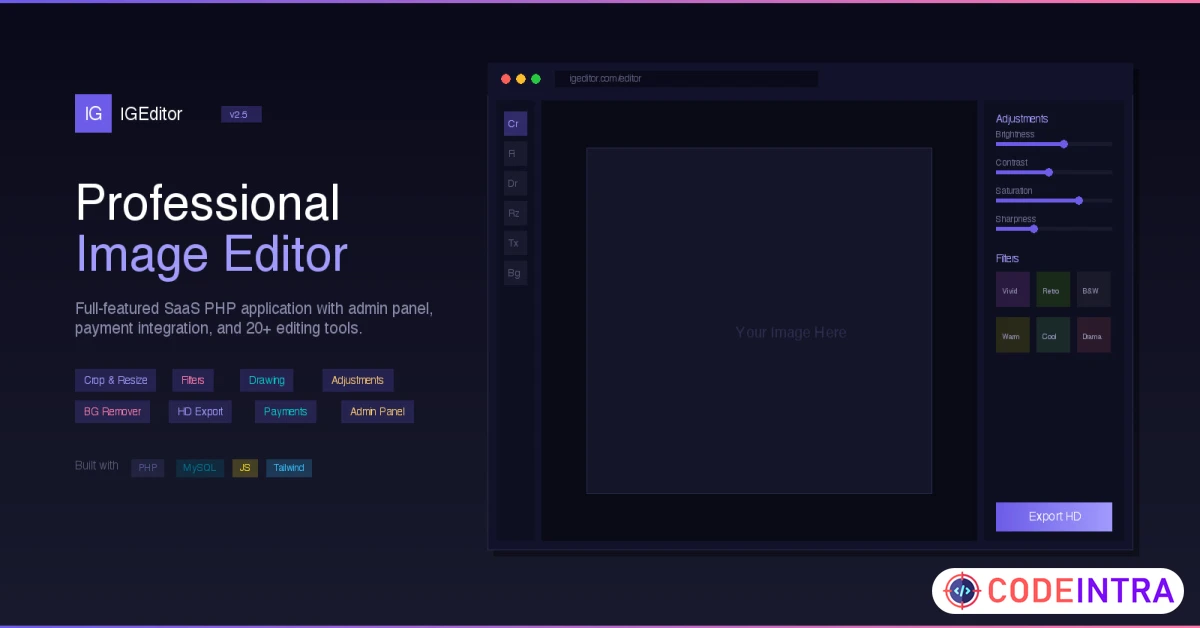
IGEditor is a powerful, feature-rich online image editor built with PHP & MySQL. It provides a professional-grade editing experience directly in the browser — no software installation required. Users can crop, resize, apply filters, draw, add text, and export images in HD quality.
Comes with a complete admin dashboard, user management, subscription system with three major payment gateways, affiliate/referral program, wallet system, Google OAuth login, and much more — everything you need to launch a SaaS image editing platform.
Live Demo
Key Highlights
- 🎨 Browser-based image editor — no plugins or downloads needed
- 👥 Complete user system with registration, login & Google OAuth
- 💳 3 Payment gateways — PayPal, Stripe, Razorpay
- 📊 Full admin dashboard with analytics & activity logs
- 💰 Built-in affiliate/referral system with wallet & withdrawals
- 🔒 Enterprise-grade security (CSRF, XSS prevention, rate limiting)
- 📱 Fully responsive design
- ⚡ One-click web installer — no coding required
Features
- Image Editor: Crop, resize, rotate, flip, advanced filters, brightness/contrast/saturation adjustments, drawing tools, brush, shapes, text overlay
- HD Export: Export edited images in JPEG, PNG, and WebP formats in high definition quality
- Multi-Format Upload: Supports JPEG, PNG, WebP, GIF, and BMP image formats
- User System: Registration, login, Google OAuth 2.0 social login, forgot/reset password, email notifications
- User Dashboard: Image history, profile settings, billing management, avatar upload
- Subscription Plans: Free & Premium tiers with Monthly, Yearly, and Lifetime options
- Daily Download Limits: Configurable download limits for free users, unlimited for premium
- PayPal Integration: Supports both Sandbox and Live modes
- Stripe Integration: With webhook support for payment verification
- Razorpay Integration: Full payment flow with order creation and verification
- Multi-Currency Support: Live exchange rates with automatic currency conversion
- Affiliate System: Unique referral codes, configurable commission rates, earnings tracking
- Wallet System: User wallet with withdrawal requests, admin approval workflow
- Admin Dashboard: Analytics overview, total users, revenue, recent activity
- User Management: View, edit, ban users from admin panel
- Payment Management: Complete transaction and payment history
- Content Management: Edit homepage content, meta tags, SEO settings from admin
- Site Settings: SMTP configuration, API keys, feature toggles — all from admin panel
- Image Management: View and manage all uploaded images
- Activity Logs: Track all user and admin actions
- Affiliate & Withdrawal Management: Approve/reject withdrawal requests from admin
- CSRF Protection: All forms protected with CSRF tokens
- Rate Limiting: Brute-force protection on login and sensitive actions
- Secure Password Hashing: bcrypt hashing with proper salt
- Input Sanitization: Full XSS and SQL injection prevention
- Security Headers: X-Frame-Options, X-XSS-Protection, X-Content-Type-Options
- Clean URLs: SEO-friendly URL routing via .htaccess
- GZIP Compression: Automatic compression for faster page loads
- Dynamic robots.txt & sitemap.xml: Auto-generated for search engines
- Responsive Design: Works perfectly on desktop, tablet, and mobile
- SEO Optimized: Meta tags, Open Graph, structured data support
- Web Installer: 5-step guided installation wizard — no manual database setup needed
- Cron Job Support: Automatic plan expiry checking
- Well Documented: Comprehensive documentation with installation guide, FAQ, and more
Requirements
- PHP 7.4 or higher (PHP 8.0+ recommended)
- MySQL 5.7+ or MariaDB 10.3+
- Apache 2.4+ with mod_rewrite enabled
- mod_headers enabled
- PHP Extensions: PDO, pdo_mysql, mbstring, json, gd, curl, openssl
- SSL Certificate (HTTPS) — recommended for production
- SMTP service for emails (Gmail, SendGrid, Mailgun, or any SMTP)
Instructions
- Upload all files to your web server (public_html, htdocs, or any web-accessible directory)
- Create a MySQL database from your hosting control panel (cPanel, Plesk, etc.)
- Step 1: Automatic server requirements check
- Step 2: Enter database credentials & auto-import schema
- Step 3: Create your admin account
- Step 4: Configure site name, email & basic settings
- Step 5: Installation complete!
0 0 * * * php /path/to/cron/check_plan_expiry.phpOptional: Configure Google OAuth, SMTP, and payment gateway API keys from Admin → SettingsWorks on: Shared hosting (cPanel, Plesk, DirectAdmin), VPS, Dedicated servers, XAMPP/WAMP/MAMP localhost

Comments (0)
Item Details

| Price |
$49
|
| Views |
1 K
|
| Version |
26 March 2026
|
| Last Update |
02-Apr-2026
|
| Release Date |
02-Apr-2026
|
| Category | |
Order Confirmation
Please confirm your order. Once you confirm, the total amount will be deducted from your wallet, and the order will be placed. If you wish to make any changes, you can edit your order before pay.
By confirming, you also agree to our refund policy. Please make sure you've read and understood the terms.
Note: Coupon is applicable for items above $50