Game Booster with AdMob Ads Android Studio Cpde
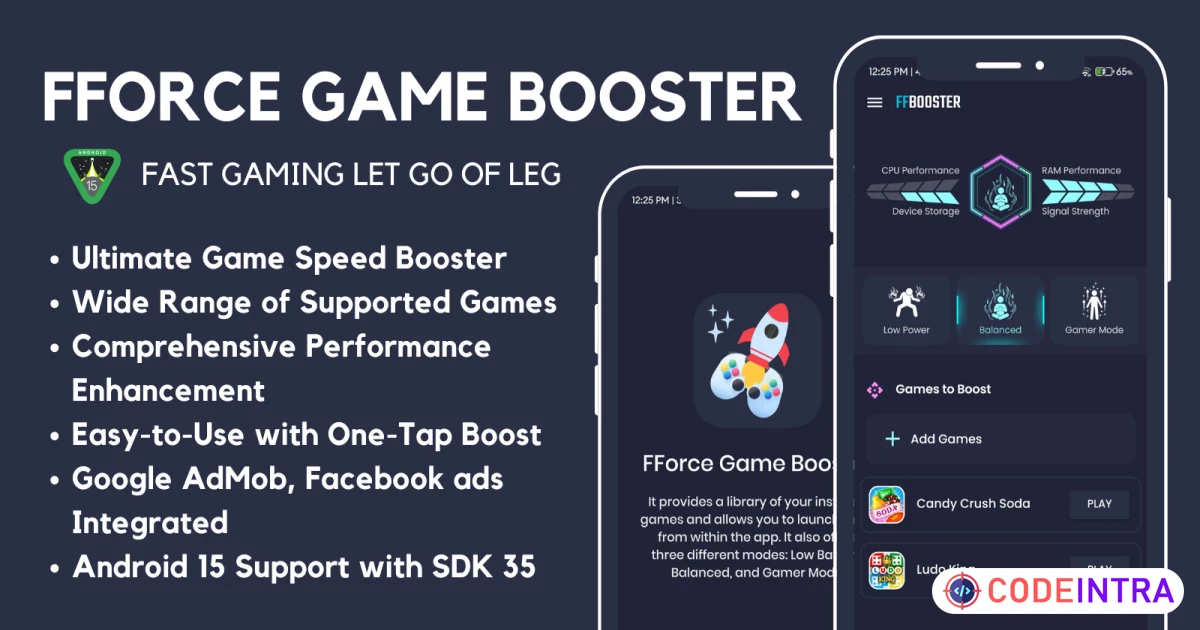
Game Launcher Say goodbye to the hassle of finding and launching your favorite games. FFBooster’s intuitive Game Launcher organi
Make Someone's Day
Make someone's day by sharing this incredible item with them!
Demo App:
https://drive.google.com/file/...
It provides a library of your installed games and allows you to launch them from within the app. It also offers three different modes: Low Battery, Balanced, and Gamer Mode.
Elevate your gaming experience to new heights with Game Master, the ultimate game booster and launcher app for Android! Game Launcher is Android app that helps you manage your games.
Game Launcher Say goodbye to the hassle of finding and launching your favorite games. FFBooster intuitive Game Launcher organizes all your games in one place, allowing you to launch them with a single tap. Easily navigate through your game library and dive into the action instantly.
Supports All Games Our Game Booster is compatible with a wide range of games, ensuring every gamer gets a competitive edge.
Performance Monitoring: Keep track of your device’s performance with real-time monitoring. FF Game Booster provides detailed statistics on CPU usage, RAM utilisation, storage and signal levels, ensuring you always have a pulse on your device’s health.
Smart Modes for Every Scenario Game Master offers three distinct modes tailored to your preferences and requirements
Features
How to use FForce Game Booster:
* Open FForce Game Booster app
* Select the desired mode
* Click the Play button on the selected game
* The desired changes are made
* Swipe Launch action
* Completed enjoying the game with a better experience
* Admob & Facebook ads Integrated
* Android 15 support with SDK 35
Requirements
Android Studio
Instructions
Instructions added in the documentation file.



Comments (0)
Item Details

| Price |
$25
|
| Views |
3.2 K
|
| Version |
20 May 2025
|
| Last Update |
12-Aug-2025
|
| Release Date |
12-Aug-2025
|
| Category | |
Order Confirmation
Please confirm your order. Once you confirm, the total amount will be deducted from your wallet, and the order will be placed. If you wish to make any changes, you can edit your order before pay.
By confirming, you also agree to our refund policy. Please make sure you've read and understood the terms.
Note: Coupon is applicable for items above $50

RELATED ITEMS
FL Office Reader Viewer | Document Viewer, Document Rea
Preschool Kids learning game - Best Kids Pre School
Threads Downloader – Images, Videos Downloader Android