
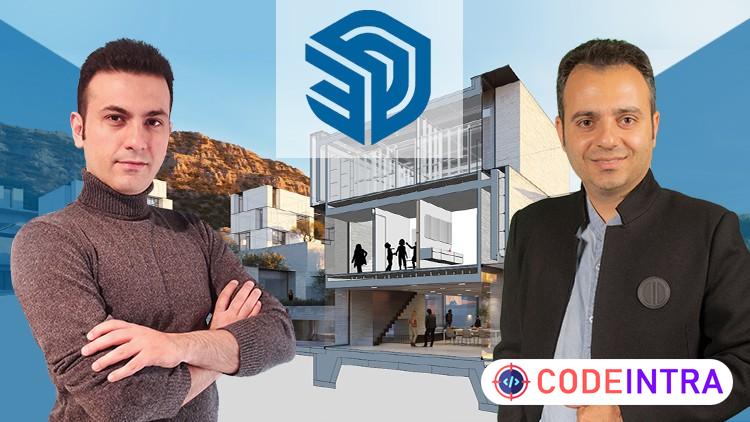
SketchUp Masterclass- for Architects and 3D Modelers
Professional 3D Modeling with Sketchup from Zero to Expert- For Interior and Exterior Design, Landscaping and Renders

Make Someone's Day
Share this incredible course!
Note: This SketchUp course is a project-based journey, covering basics to advanced modeling with plugins, based on real-world architectural projects, taught by an experienced expert.
1. What unique advantages does learning SketchUp through real-world architectural projects offer compared to other 3D modeling approaches?
2. How can SketchUp be used efficiently for interior design and facade detailing?
3. What are the key techniques and plugin-based workflows for modeling faster and more effectively in SketchUp?
Begin your journey in 3D modeling with this comprehensive SketchUp course, meticulously crafted to guide you from foundational principles to sophisticated architectural design. In the initial phase, you’ll master essential geometry, learning to construct precise shapes, manipulate surfaces, and design interior spaces and building facades with confidence. Progress to advanced techniques, where you’ll harness powerful SketchUp plugins like Artisan, SubD, Curviloft, and Profile Builder to craft organic forms, parametric structures, and detailed visualizations. Through hands-on real-world projects—such as modern villas, urban furniture, complex facades, and modular interiors—you’ll build a robust skill set and a professional-grade portfolio ready for industry demands.
Headlines:
Drawing Tools in SketchUp – lines, arcs, circles & rectangles
Voluming Techniques in SketchUp – Push Pull, Follow Me & Solid Tools
Transformation Tools in SketchUp – Move, Rotate, Scale & Group objects
Components & Measurements in SketchUp – Work fast with accurate elements
Visualization in SketchUp – Control camera, shadows, styles & sections
Advanced Plugins for SketchUp – Use Sandbox, Dynamic Components & Material Tools
Organic Modeling in SketchUp – Curviloft, SubD, Artisan & complex forms
Architectural Projects in SketchUp – Model villas, benches, cottages & lobbies
SketchUp for Facade & Interior Design – Create modular facades and interiors
AutoCAD to SketchUp Workflow – Import CAD files for accurate modeling
Advanced Architecture in SketchUp – Design muqarnas, towers & interchanges
SketchUp for Rendering & Animation – Create visualizations and motion scenes
Enroll now and enhance your architectural modeling skills with SketchUp to excel in real-world projects like designing modern villas, modular interiors, and intricate facades!
Have any questions during the lessons? Ask anytime. With 24/7 support, I’ll guide you to learn faster and confidently tackle professional 3D design projects in SketchUp.
Learning Objectives
🔹SketchUp Drawing Tools – Master Line, Arc, Circle and Rectangle for Precise Architectural Modeling🔹Voluming Techniques in SketchUp – Push Pull, Follow Me and Solid Tools for Realistic 3D Forms
🔹Transformation Tools in SketchUp – Move, Rotate, Scale and Group for Efficient 3D Design Workflow
🔹Component and Measurement Tools in SketchUp – Optimize Modeling Speed with Accurate Components and Dimensions
🔹Visualization Features in SketchUp – Control Camera, Style, Shadows and Sections for Better Presentations
🔹Animating with SketchUp: Bringing Designs to Life through Motion
🔹Advanced SketchUp Tools and Plugins – Work with Dynamic Components, Sandbox, Customization and Material Management
🔹High-Level 3D Modeling in SketchUp – Master Curviloft, Bezier, Joint Push Pull, SubD and Artisan for Organic Forms
🔹Architectural Design Projects in SketchUp – Urban Bench, Villa, Cottage and Lobby Projects for Real Practice
🔹Facade and Interior Design Projects in SketchUp – Learn Modular Facades, Interiors and Twin Tower Modeling
🔹Importing AutoCAD Drawings into SketchUp – Accurate Workflow from CAD to 3D Model for Architects and Designers
🔹Advanced Projects in SketchUp – Build Complex Architecture like Muqarnas, Interchanges and Classical Facades
🔹Rendering and Animation in SketchUp – Create High-Quality Renders and Section Animations for Architectural Visualization
Prerequisites
🔹A Laptop and Sketchup SoftwareWho This Course Is For
🔹Interior designers🔹3d modelers
🔹Architects
🔹CG Artists
🔹Landscape Designers
🔹Engineers
🔹Exterior Designers
Course Details

| Price | FREE |
| Views | 7 |
| Lectures | 83 |
| Duration | 27.5 hours |
| Last Update | 14-Jun-2026 |
| Release Date | 17-Feb-2026 |
| Category | Design |
|
30
|
|

This course includes:
📹 Video lectures
📄 Downloadable resources
📱 Mobile & desktop access
🎓 Certificate of completion
♾️ Lifetime access

