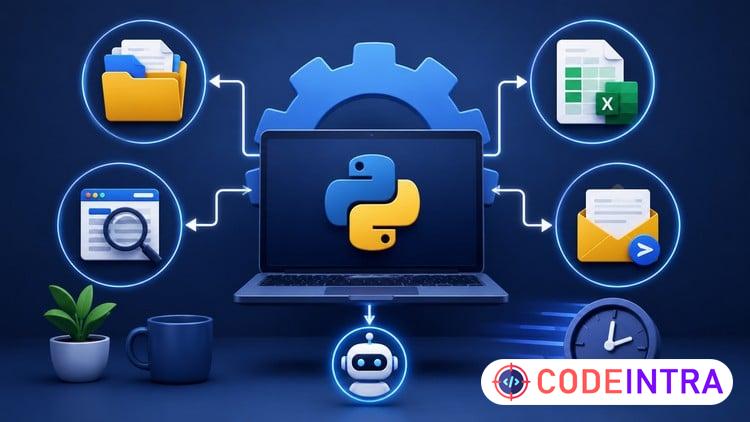
Python Automation: Save Hours with 4 Real Projects
Automate Files, Excel Reports, Web Scraping & Emails with Python Through 4 Real-World Projects

Make Someone's Day
Share this incredible course!
Python Automation: Save Hours with 4 Real Projects
Are you tired of performing the same computer tasks over and over again?
What if you could use Python to automate repetitive work, save hours every week, and improve your productivity with just a few lines of code?
In this beginner-friendly course, you'll learn practical Python automation by building 4 real-world projects from scratch. Instead of focusing on complicated theory, this course takes a hands-on approach and shows you how Python can automate tasks that many people perform manually every day.
Whether you're a student, office worker, freelancer, business owner, or aspiring developer, automation is one of the most valuable skills you can learn. By the end of this course, you'll understand how to use Python to handle repetitive tasks more efficiently and create useful automation tools for yourself or your workplace.
What You'll Learn
- Python fundamentals required for automation
- Variables, data types, lists, dictionaries, loops, and functions
- Working with files and folders using Python
- Reading and updating Excel spreadsheets
- Generating automated Excel reports
- Collecting data from websites using web scraping
- Understanding HTML and extracting webpage information
- Sending emails automatically with Python
- Combining multiple automation techniques into complete workflows
Projects You'll Build
Project 1: Automatic File Organizer
Build a tool that automatically sorts files into organized folders.
Project 2: Excel Report Generator
Read spreadsheet data, perform calculations, and generate reports automatically.
Project 3: Website Data Scraper
Collect and save information from websites using Python.
Project 4: Bulk Email Sender
Create a system that sends emails automatically to multiple recipients.
Final Automation Challenge
Combine everything you've learned into a complete automation workflow.
Who This Course Is For?
- Complete Python beginners
- Students interested in automation
- Office workers who want to save time
- Freelancers looking to increase productivity
- Business professionals who work with files, spreadsheets, or reports
- Anyone who wants to automate repetitive tasks using Python
Why Take This Course?
Many Python courses teach programming concepts without showing how they are used in real life. This course focuses on practical automation projects that demonstrate how Python can solve everyday problems and eliminate repetitive work.
By the end of this course, you'll have built multiple automation projects, gained valuable hands-on experience, and developed the confidence to create your own Python automation solutions.
Enroll today and start saving hours of manual work with Python automation.
Learning Objectives
🔹Build Python automation scripts to eliminate repetitive manual tasks and improve productivity.🔹Organize files and folders automatically using Python and the built-in OS modules.
🔹Read, update, and generate Excel reports programmatically using Python.
🔹Collect and extract data from websites using web scraping techniques with Requests and BeautifulSoup.
🔹Create automated email workflows and send messages to multiple recipients using Python.
🔹Apply Python fundamentals including variables, lists, dictionaries, loops, conditions, and functions in automation projects.
🔹Combine multiple automation techniques into complete real-world workflows and solutions.
🔹Design and build practical automation projects from scratch with confidence.
Prerequisites
🔹No prior Python programming experience is required. This course is designed for beginners.🔹A Windows, macOS, or Linux computer with an internet connection.
🔹Willingness to install free software such as Python and Visual Studio Code (VS Code).
🔹Basic computer skills, including creating folders, opening files, and using a web browser.
🔹No automation experience is needed. Everything is explained step by step.
🔹A desire to learn practical Python skills and automate repetitive tasks.
Who This Course Is For
🔹Complete beginners with little or no Python experience.🔹Students who want to learn automation skills that can be applied immediately.
🔹Office workers who perform repetitive tasks involving files, spreadsheets, reports, or emails.
🔹Freelancers looking to improve productivity and automate routine work.
🔹Business professionals who want to save time using Python.
🔹Anyone interested in learning web scraping, Excel automation, and email automation.
🔹Aspiring developers who prefer learning through hands-on projects rather than theory alone.
Course Details

| Price | FREE |
| Views | 0 |
| Lectures | 18 |
| Duration | 5.5 hours |
| Last Update | 23-Jun-2026 |
| Release Date | 23-Jun-2026 |
| Category | Development |
|
30
|
|

This course includes:
📹 Video lectures
📄 Downloadable resources
📱 Mobile & desktop access
🎓 Certificate of completion
♾️ Lifetime access