IT Support & Networking Fundamentals: Practice Tests
Test your skills in PC hardware, Windows/Linux operating systems, network configuration, and advanced troubleshooting.

Make Someone's Day
Share this incredible course!
Every modern business relies on technology, which means there is a constant, unyielding demand for professionals who know how to fix it when it breaks. Whether you are aiming to land your first job in IT Support, studying for your CompTIA A+ certification, or you are simply the "tech person" in your friend group looking to validate your skills, the IT Support & Networking Fundamentals: Practice Tests course is your ultimate proving ground.
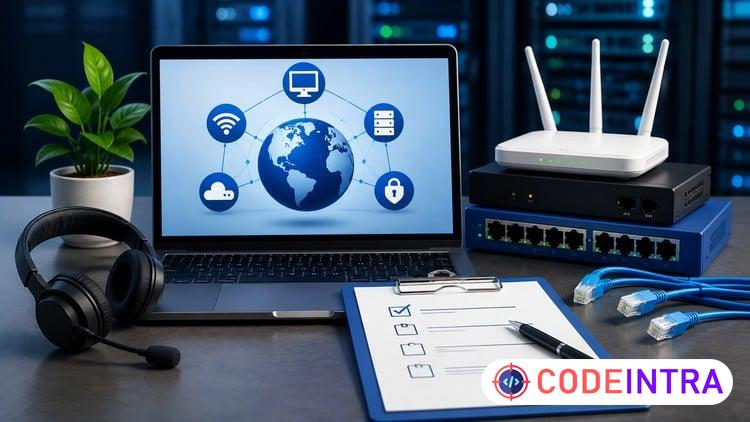
This comprehensive question bank is divided into the four critical areas of technical support. You will start by testing your knowledge of Hardware and Devices, ensuring you know the difference between NVMe and SATA, and how to safely navigate a motherboard BIOS. Next, we move into Networking Concepts, challenging your grasp of IP addressing, DNS resolution, and Wi-Fi standards.
Because hardware is useless without software, the third section rigorously tests your knowledge of Operating Systems, covering Windows administration (Registry, Group Policy) as well as Linux terminal commands. Finally, you will face our advanced Troubleshooting section. Here, you will be tested on the exact diagnostic tools and methodologies real-world technicians use to solve everything from a Blue Screen of Death to severe network latency. Every question includes a detailed explanation, ensuring you build the confidence needed to tackle any IT issue.
Basic Info:
Course locale: English (India)
Course instructional level: All Levels
Course category: IT & Software
Course subcategory: Hardware
Learning Objectives
🔹Evaluate your knowledge of core computer hardware, including CPUs, RAM, Motherboards, and peripherals.🔹Test your understanding of networking principles like TCP/IP, DNS, DHCP, and router configurations.
🔹Assess your proficiency in navigating and managing Windows, macOS, and Linux operating systems.
🔹Validate your ability to troubleshoot complex IT issues using tools like Ping, Traceroute, and Event Viewer.
Prerequisites
🔹Basic familiarity with using a computer and browsing the internet. An interest in how computer hardware and networks communicate. No professional IT experience is required to begin these tests.Who This Course Is For
🔹Aspiring IT Support Specialists and Help Desk technicians preparing for interviews. Students studying for foundational IT certifications (e.g., CompTIA A+, CompTIA Network+, or Google IT Support). Tech enthusiasts who want to validate their knowledge of building PCs and setting up home networks.
Course Details

| Price | FREE |
| Views | 1 |
| Lectures | 0 |
| Duration | 200 questions |
| Last Update | 05-Jul-2026 |
| Release Date | 28-Jun-2026 |
| Category | IT & Software |
|
30
|
|

This course includes:
📹 Video lectures
📄 Downloadable resources
📱 Mobile & desktop access
🎓 Certificate of completion
♾️ Lifetime access